
Noise Reduction
The higher the ISO setting you, the noisier your photos will typically be. Noise can be reduced in-camera when shooting JPEG, or in post-production for both JPEG and Raw. (Though do not apply further noise reduction to a JPEG that has already had noise reduction applied!)
There are two types of high ISO image noise: luminance and colour or chroma noise. Luminance noise is typically the least objectionable of the two. It adds a grainy look to a shot, which adds an interesting texture. (Digital images can look slightly sterile, so some photographer even add noise to shots – mimicking the visual effects of film grain. Chroma noise adds blotches of colour that are randomly scattered across a photo. It is typically seen at very high ISO settings, usually when ISO is close to its maximum value (or when a very underexposed image is corrected and normalised in post-production).
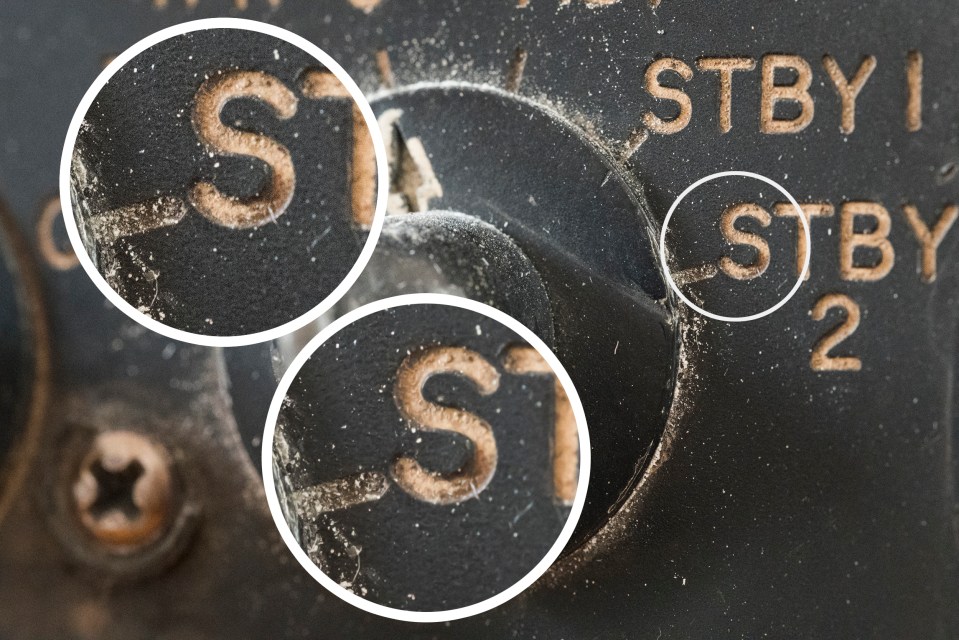
Both types of noise are tackled separately in post-production, so you could choose to keep one and reduce or remove the other entirely. The key to Noise reduction is to do it subtly. Applying too high a reduction can make a shot look unnaturally smooth and ‘plasticky’. As with the tonal controls, Noise reduction is normally applied using sliders to control the strength that it is applied.