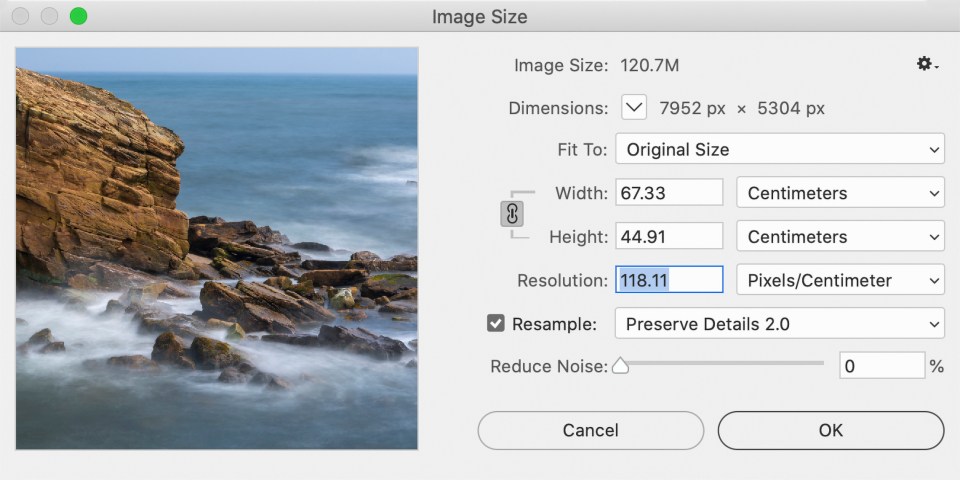
Resolution
The resolution of a photo is the number of pixels, both horizontal and vertical, that make up the photo. The maximum pixel resolution you can shoot at is determined by the number of photosites on the camera’s sensor. A typical modern sensor has roughly 24 million photosites, making it a 24mp sensor, creating an image 6000 pixels across by 4000 pixels down. (The proportions used here are for system cameras other than Micro Four Thirds. The proportions of an image is known as its aspect ratio, which is covered in more detail below.)
Cameras usually offer the option of shooting at a lower resolution, resulting in a smaller file both in the number of pixels that make up the photo and in the amount of space the photo takes on the memory card. This is a tempting option to take if you are running out of memory card space. However, once a lower resolution image has been saved you cannot recover any of the lost detail that would have been in a larger image. (You can resize images, making them bigger as well as smaller, in software like Photoshop. However, increasing the pixel resolution of a small image will not recover fine detail, you will just have a slightly soft if higher resolution image.)
Prior to printing you can set what is known as an image’s print resolution. This is measured as number of pixels per inch (ppi) or per centimetre (ppcm). A common standard is 300ppi/118.11ppcm). This means that every 300 pixels in an image equals one inch on the print or 118.11 pixels for every centimetre. A 6000 x 4000 pixel photo could be used to make a print 20 inches (50.8cm) x 13.3 inches (33.8cm). (This is worked out by dividing 6000 by 300 to get the horizontal size, and 4000 by 300 for the vertical.)
However, you do not have to use 300ppi – though it will result in very high quality prints. The print resolution can be reduced. A good compromise between print quality and print size is using a figure of 240ppi/94.48ppcm instead. This would print our 6000 x 4000 pixel photo at a size of 25 inch (63.5cm) x 16.6 inch (42.1cm) print from the same 24mp photo. (The drop from 300ppi to 240ppi would result in a small but relatively insignificant loss of quality.)